Never post into the wrong Xero organisation again.
WhichOrg gives every Xero organisation its own colour: the top bar, a frame around the whole window, and the organisation switcher itself. Similar client names stop looking alike.
Free for up to 3 organisations Works in Chrome and Edge No account needed
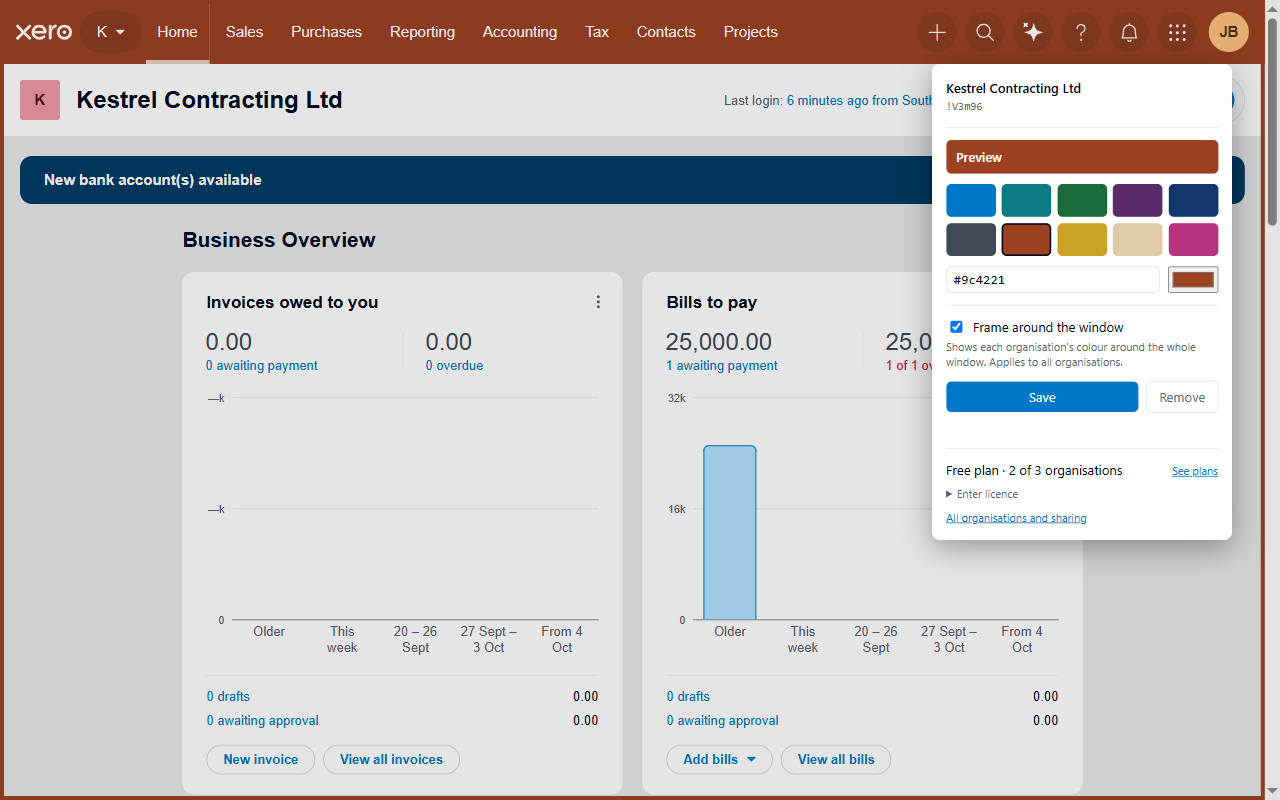
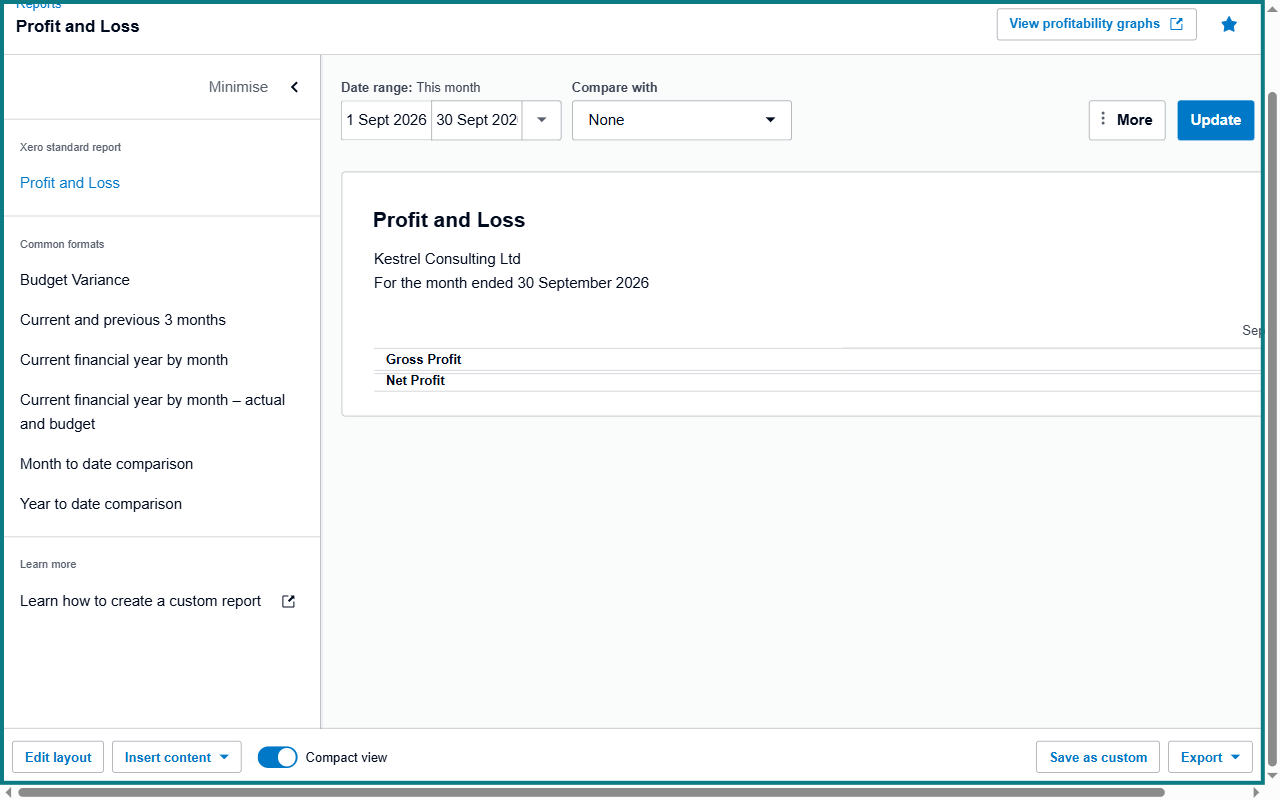
Xero with WhichOrg: the bar and a frame in this organisation's colour.
Built to prevent mistakes, not to decorate
If you work across many Xero organisations, the danger isn't not knowing how to use Xero. It's being one click away from the wrong company. WhichOrg makes the organisation you're in impossible to miss.
A colour for every organisation
Xero's top bar takes each organisation's colour, with text that stays readable on any colour you pick.
A frame around the whole window
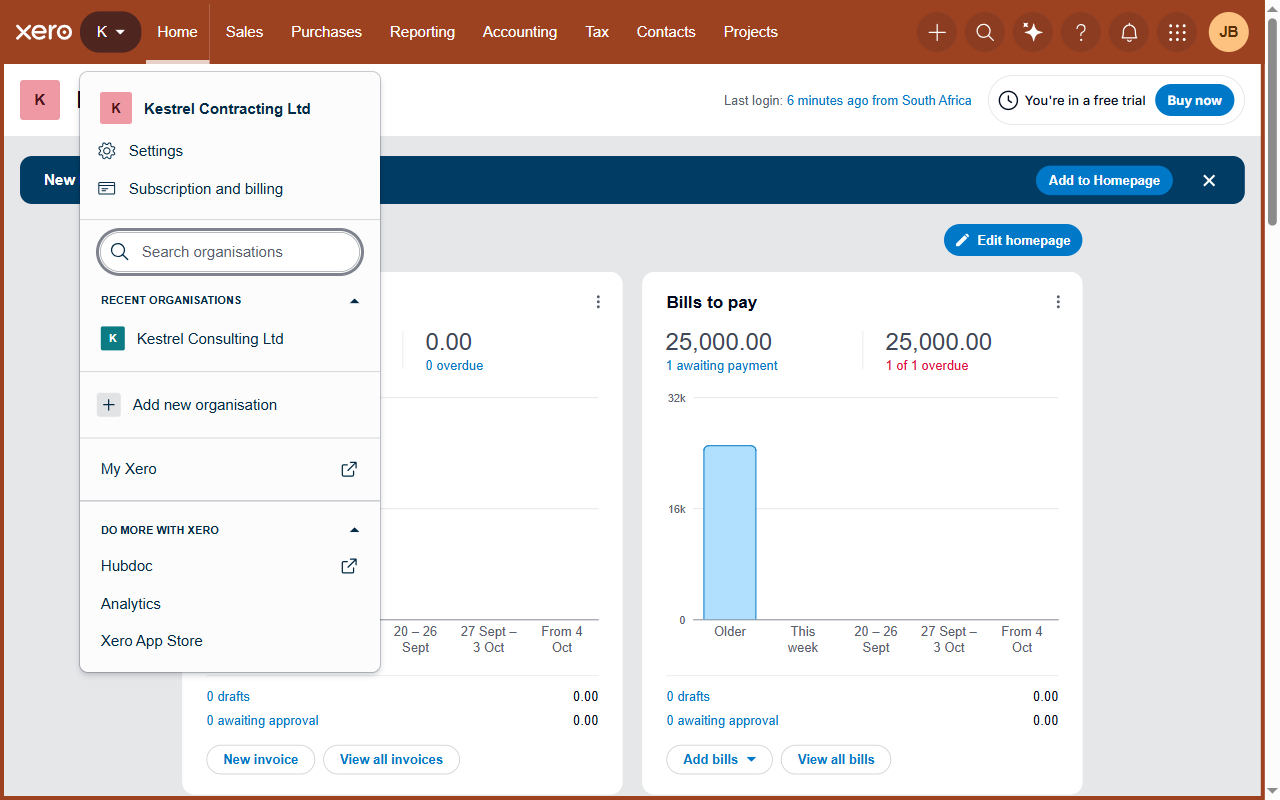
The colour stays visible when you've scrolled down a long report or are deep inside an invoice.
Colour in the organisation switcher
Each organisation's colour appears in Xero's own switcher list, so you can tell lookalike names apart before you choose.
Recognises the organisation exactly
WhichOrg identifies organisations by Xero's own code, not by name, so near-identical names and renamed organisations keep the right colour.
Honest when it can't tell
If WhichOrg ever can't identify the organisation, it shows no colour and a small "org not detected" note. It never guesses a colour.
One colour scheme for the whole team
Export your colours to a file and colleagues import it, so everyone sees the same colour for each organisation.
The same Xero, impossible to mistake
WhichOrg only changes how Xero looks in your browser. Everything else works exactly as before.
Lookalike names, told apart
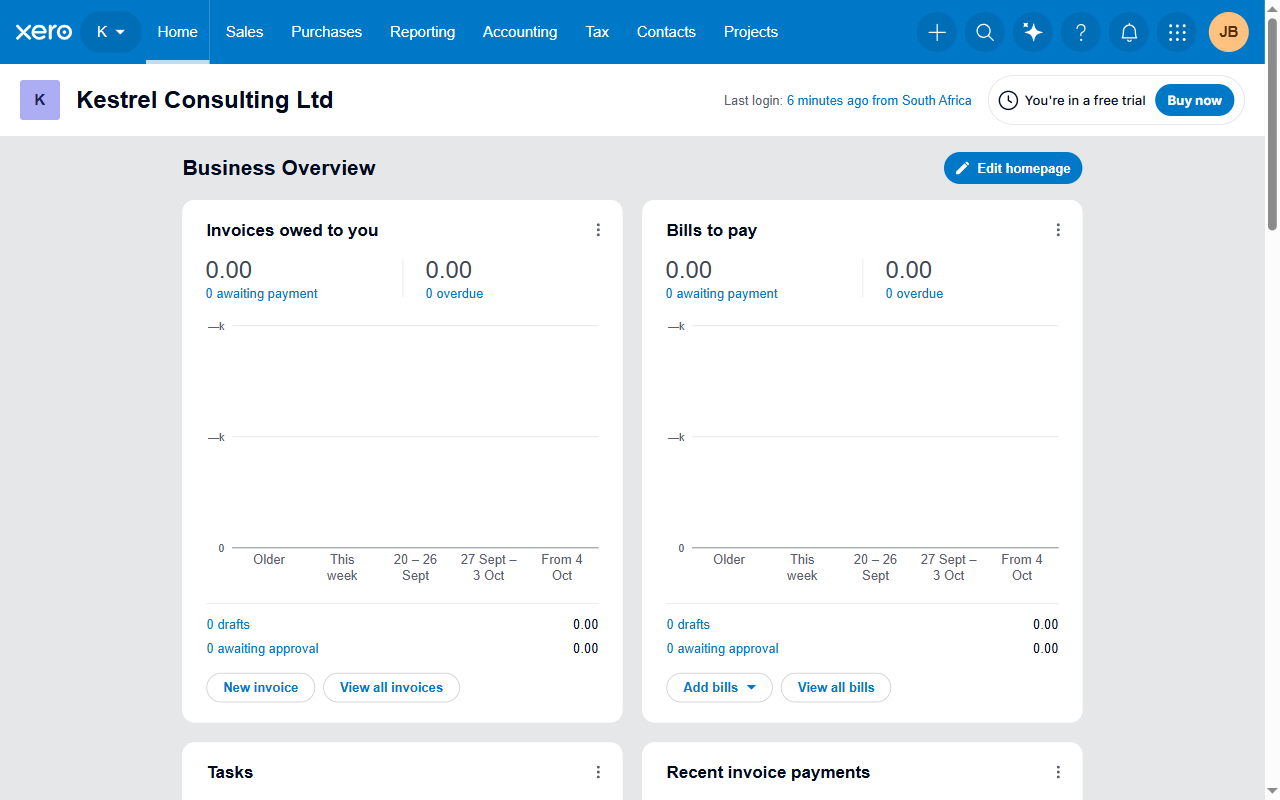
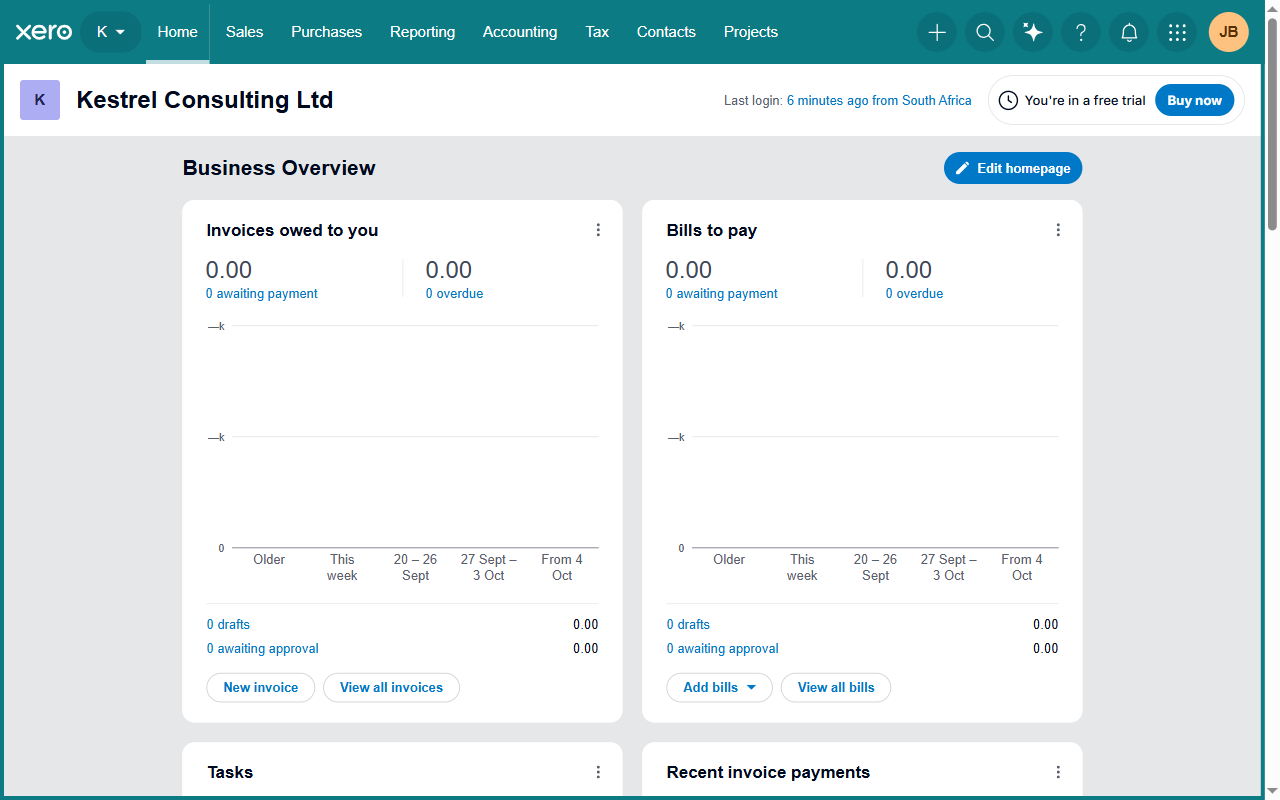
"Kestrel Consulting Ltd" and "Kestrel Contracting Ltd" look almost the same at a glance. In Xero's organisation switcher each has its own colour, so you see the difference before you click.
Still there when you scroll
Deep in a long report, the top bar is out of sight. The frame around the window keeps the organisation's colour in view.
Your accounting data never leaves your browser
WhichOrg only changes how Xero looks, on your own computer.
This extension makes no network requests. Not one. There is nothing for it to send your data to.
No network requests
The extension doesn't send anything anywhere, not even to check your licence.
No Xero connection
WhichOrg doesn't connect to the Xero API and can't read, change or export your accounting data.
No account, no database
Your colour settings are stored by your browser. We don't have a database of users or organisations.
Details in our privacy policy.
Every feature on every plan
Plans differ only in how many organisations and people they cover. Prices shown in US dollars, billed yearly, including VAT or GST where it applies. You pay in your own currency where we support it.
Free
Trying it out
Free forever. No card needed.
- Up to 3 organisations
- 1 person
- No account needed
Solo
Bookkeepers and owners
Billed yearly at $19
- Unlimited organisations
- 1 person
Team
Finance teams
Billed yearly at $79 — about 66c a month each with 10 people
- Unlimited organisations
- 2 to 10 people
- One licence, one invoice
Firm
Accounting practices
Billed yearly at $149 — under $1.13 a month each with 11 people
- Unlimited organisations
- 11 or more people
- One licence, one invoice
Cheaper than one wrong invoice.
Tax included where it's usual. In countries that charge VAT or GST on digital purchases, such as the UK, the EU, South Africa and Australia, the price shown includes it. Where tax is normally added on top, such as US sales tax, it's added at checkout. Buyers in South Africa pay in rand, and customers in Australia, New Zealand, the UK, the EU, Canada and Singapore are charged in their own currency at checkout. Payments are processed by Paddle.com, our reseller and merchant of record, which emails you a tax invoice showing the tax, so your business can claim it back. Businesses can also enter their VAT or tax number at checkout. See our terms and refund policy.
Questions
Which browsers does it work in?
Google Chrome and Microsoft Edge. Both install it from the Chrome Web Store — Edge accepts extensions from there, and asks you once whether to allow it: see how to install. Firefox support is planned.
Does it work with every Xero organisation?
Yes, any organisation you can open in Xero in your browser, including trial organisations.
What happens if Xero changes its website?
We test WhichOrg across Xero's pages and fix breakages quickly. If a change ever stops WhichOrg identifying an organisation, it shows no colour rather than a wrong one.
Can everyone at my firm use it?
Yes. Team covers 2 to 10 people and Firm covers 11 or more, each with one licence and one invoice, and unlimited organisations.
Can my whole team use the same colours?
Yes. Export your colours to a file from WhichOrg's settings and send it to your colleagues. They import it, and everyone sees the same colour for each organisation. The file holds only organisation names, Xero codes and colours.
Do prices include VAT? Can my business claim it back?
In the UK, the EU, South Africa, Australia and other countries that charge VAT or GST on digital purchases, the price includes it. In the US, any sales tax is added at checkout. Paddle, our reseller, charges the tax and emails a tax invoice with every payment and renewal, which your business can use to claim the VAT or GST back. You can add your company name and VAT or tax number at checkout.
Is WhichOrg made by Xero?
No. WhichOrg is an independent product and is not affiliated with or endorsed by Xero Limited.
Know which company you're in. Every time.
Free for up to 3 organisations. Works in Google Chrome and Microsoft Edge.