Activate your licence
Your licence
Copied. Now paste it into WhichOrg (step 3).
- Install WhichOrg, if you haven't yet: get it for Chrome or Edge. It's free to install; your licence unlocks the paid plan.
- Copy your licence. Open your licence email from licences@whichorg.com and click Copy your licence, or select the licence in the email and press Ctrl+C (Cmd+C on a Mac).
- Click the WhichOrg icon in your browser's toolbar, at the top right. Can't see it? New extensions are tucked away: click the puzzle-piece icon, then the pin next to WhichOrg.
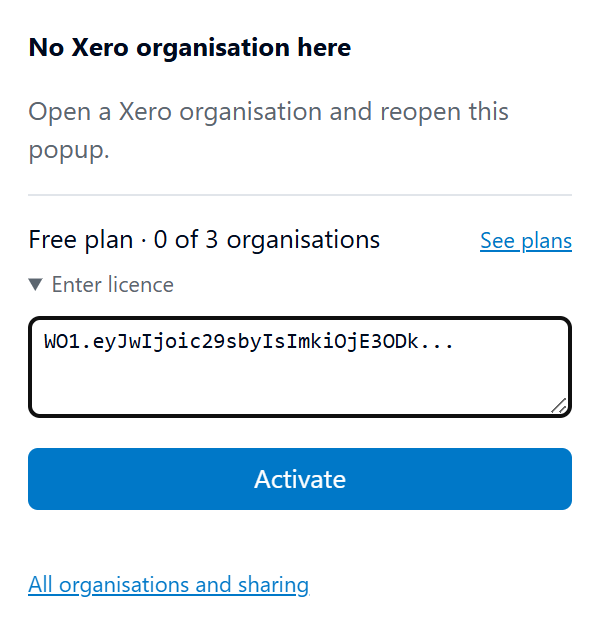
- Click "Enter licence", paste your licence into the box, and click Activate.
- You'll see "licence activated" and your plan name. That's it: every organisation can now have a colour.
Using WhichOrg with your team?
On a Team or Firm plan, everyone uses the same licence. Forward them your licence email: each person installs WhichOrg on their own computer, then follows these same steps.
Stuck? Email support@whichorg.com and we'll help. Never send us your Xero password.